

Introduction
HTML, CSS, and JavaScript are enough to create attractive web pages. But when you need user logins, visitor data storage, products displayed from a database, or email delivery, one thing is missing: logic that runs on the server.
One of the longest-established languages used for this purpose is PHP Programming Language. Many major websites and systems such as WordPress are built with PHP. In this article, we will get to know PHP from the ground up: what it is, how it works, and some basic code examples.
What Is PHP?
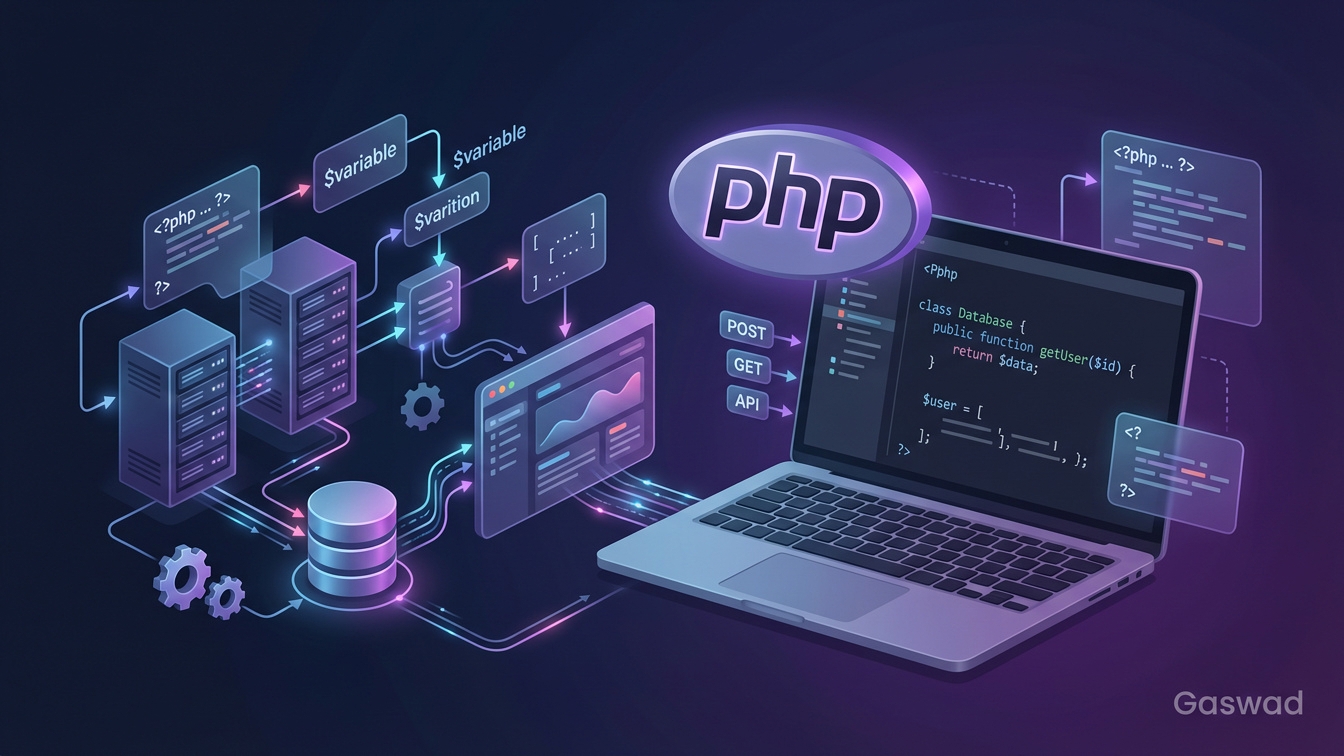
PHP is an open-source programming language designed specifically for web development. Its name is a recursive acronym for “PHP: Hypertext Preprocessor.” PHP code runs on the server, not in the visitor’s browser, and the result is sent to the browser as regular HTML.
Here is a simple comparison with other web technologies:
Technology | Tasks | Runs In |
HTML | Page structure and content | Browser |
CSS | Visual presentation | Browser |
JavaScript | Page interactions | Browser (also on the server through Node.js) |
PHP | Logic, data processing, and databases | Server |
In short, PHP handles the behind-the-scenes work visitors cannot see: checking logins, retrieving data from a database, and assembling the page sent to the browser.
A Brief History And The Latest Version
PHP was created by Rasmus Lerdorf in 1994. At first, it was a collection of simple tools for managing his personal web page, which is where the name “Personal Home Page” originated. Since then, PHP has evolved into a full-fledged programming language.
Version | Release Year | Important Note |
PHP 3 | 1998 | Reworked by the community; the name changed to “PHP: Hypertext Preprocessor.” |
PHP 5 | 2004 | More mature support for object-oriented programming (OOP). |
PHP 7 | 2015 | Significantly improved performance. |
PHP 8 | 2020 | Modern features such as named arguments and match expressions. |
PHP continues to receive regular releases. As of late November 2026, PHP 8.6.0 has been announced on the official PHP website, with new features such as partial function application and the clamp() function. Each version branch has a limited support period, so check the Supported Versions page on php.net before choosing a version for a real project. The examples in this article can safely run on PHP 8.x.
How PHP Works
Here is what happens when a visitor opens a PHP page:
A visitor opens a website address or submits a form through a browser.
The web server (such as Apache or Nginx) receives the request and identifies that the requested file has a .php extension.
The server passes the file to PHP, which executes the code. If necessary, PHP retrieves or stores data in a database.
PHP generates HTML as the final output.
The browser receives the HTML and displays it.
Visitors never see the PHP code itself. If they select “View Source” in the browser, they only see the processed HTML. This makes PHP suitable for handling confidential tasks, such as database passwords, provided the code is properly secured.
Getting Started: Installing PHP
Unlike HTML, which can be opened directly by double-clicking a file, PHP files must be executed through a server. Packages are available that set everything up at once:
Choices | Description | Best For |
XAMPP | Apache, MySQL, and PHP; available for Windows, macOS, and Linux. | Beginners, with many tutorials available. |
Laragon | A lightweight and practical similar package for Windows. | Windows users who want a quick setup. |
Server bawaan PHP | Run | Quick practice without Apache. |
Example steps using XAMPP:
Download and install XAMPP from its official website.
Open the XAMPP Control Panel, then start Apache (and MySQL if you will need a database later).
Create a file named halo.php in XAMPP’s htdocs folder, with the following contents:
<?php
echo "Hallo, world!";
Open http://localhost/halo.php in your browser. If “Hello, world!” appears, PHP is running successfully.
Make sure the address starts with http://localhost/, rather than opening the file directly from a folder. Otherwise, the browser will only display the raw code.
Basic Syntax: Variables And Data Types
PHP code is written inside <?php ... ?> tags. In files containing only PHP, the closing ?> tag can be omitted. Here is an example:
<?php
// Single-line comment
$name = "Budi";       // string (text)
$age = 25;            // integer (whole number)
$height = 170.5;      // float (decimal number)
$student = true;      // boolean (true or false)

echo "Hello, $name! You are $age years old.";
echo "<br>";
echo "Height: " . $height . " cm";
Things to remember:
Variables begin with the $ sign, and you do not need to declare their data types.
Every statement ends with a semicolon (;).
echo displays text on the page.
A dot (.) is used to concatenate text.
Text inside double quotation marks processes variables inside it, while single-quoted text is displayed as it is.
PHP can also be embedded directly inside HTML:
<h1>Halo, <?php echo $nama; ?>!</h1>That is how PHP and HTML work together in a single file.
Conditionals And Loops
Like other programming languages, PHP can make decisions and repeat tasks:
<?php
$score = 80;

if ($score >= 85) {
  echo "Excellent";
} elseif ($score >= 70) {
  echo "Good";
} else {
  echo "Need to study more";
}

echo "<br>";

for ($i = 1; $i <= 5; $i++) {
  echo "Loop number $i<br>";
}
Explanation:
if, elseif, and else choose which block of code runs based on a condition.
for repeats code using a defined counter. In this example, it runs from 1 to 5.
while repeats as long as a condition is true, and foreach is designed specifically for arrays.
Important tip: when comparing values, make a habit of using '===' (strict equality, including the data type) instead of '=='. Loose comparison with '==' can produce surprising results because PHP automatically converts data types.
Functions And Arrays
A function is a block of code that can be reused. An array is a container for storing multiple values at once:
<?php
function greet($name) {
  return "Hello, $name!";
}

echo greet("Sari");
echo "<br>";

// Indexed array (numeric indexes start at 0)
$fruits = ["apple", "orange", "mango"];
$fruits[] = "banana"; // add an item at the end

echo "Number of fruits: " . count($fruits);

echo "<ul>";
foreach ($fruits as $item) {
  echo "<li>$item</li>";
}
echo "</ul>";

// Associative array (named keys)
$student = [
  "name" => "Dina",
  "class" => "XI",
  "score" => 88,
];

echo $student["name"] . " from class " . $student["class"];
Associative arrays are very common because data from databases and forms almost always comes in this format: key-value pairs.
Processing Forms With PHP
One of the most common uses of PHP is receiving data from HTML forms. First, create the form in form.html:
<form method="post" action="process.php">
  <label for="name">Name</label>
  <input type="text" id="name" name="name">
  <button type="submit">Submit</button>
</form>
Then create process.php to receive and validate the submitted input:
<?php
if ($_SERVER["REQUEST_METHOD"] === "POST") {
  $name = trim($_POST["name"] ?? "");

  if ($name === "") {
echo "Name is required.";
  } else {
echo "Hello, " . htmlspecialchars($name, ENT_QUOTES, "UTF-8") . "!";
  }
}
Here is what happens:
$_POST is a built-in PHP array containing form data submitted using POST. Its array keys match the name attributes of the input fields.
trim() removes whitespace from the beginning and end, while ?? "" provides a fallback value if the data is missing.
htmlspecialchars() converts potentially dangerous characters into plain text before displaying them. This is basic protection against XSS (Cross-Site Scripting), an attack in which someone injects scripts through form input.
The two commonly used submission methods differ as follows:
Method | Data Is Send Through | Used For |
GET | The URL ($_GET) | Search and filtering, and for data that is safe to display. |
POST | The request body ($_POST) | Logins, registrations, and data that should not appear in the URL. |
The main rule: never trust user input. Always validate it and make it safe before displaying or storing it.
Connecting To A MySQL Database
PHP is often paired with MySQL. The recommended way to connect is through PDO. The example below retrieves products whose prices are below a certain limit. It assumes you have a database named tokoku with a produk table containing nama and harga columns:
<?php
$dsn = "mysql:host=localhost;dbname=tokoku;charset=utf8mb4";

try {
  $pdo = new PDO($dsn, "root", "", [
PDO::ATTR_ERRMODE => PDO::ERRMODE_EXCEPTION,
  ]);

  $stmt = $pdo->prepare("SELECT nama, harga FROM produk WHERE harga <= :maks");
  $stmt->execute(["maks" => 50000]);

  foreach ($stmt as $row) {
echo htmlspecialchars($row["nama"]) . " - Rp " . number_format($row["harga"]) . "<br>";
  }
} catch (PDOException $e) {
  echo "Database connection failed.";
}
Important notes:
prepare() and execute() use prepared statements: values are sent separately from the SQL command. This protects against SQL injection. Never concatenate user input directly into query text.
Using the root account without a password is only suitable for practice on your own computer. For a real website, create a dedicated database user with a password and only the permissions it needs.
Detailed error messages are useful for learning, but should not be displayed to visitors on a live website because they may reveal sensitive information.
Advantages, Disadvantages, And PHP Frameworks
Advantages:
Easy to learn. Its syntax is beginner-friendly, and it can be mixed directly with HTML.
Free and open source. There are no licensing fees.
Supported by almost all hosting providers. It is easy to find places to run PHP websites, and hosting is generally affordable.
Large community. Documentation, tutorials, and libraries are widely available.
Mature ecosystem. Many popular systems, such as WordPress, run on PHP.
Disadvantages:
It is easy to write messy code. Because PHP is flexible, beginners often mix logic and presentation without a clear structure.
Security issues can arise if you are careless. Input validation and prepared statements should become habits.
Inconsistent naming conventions. Some older parts of the language have function names that are not entirely consistent.
For larger projects, developers commonly use frameworks to keep code more organized and secure:
Framework | Key Features | Best For |
Laravel | Feature-rich and comfortable to use, with a very large community. | Modern web applications and APIs. |
CodeIgniter | Lightweight and simple. | Beginners and small-to-medium projects. |
Symfony | Component-based, flexible, and robust. | Large-scale applications. |
Advice for beginners: understand core PHP first, as covered in this article, and then move on to a framework. This will help you understand what the framework is doing behind the scenes.
Tips For Getting Started With PHP
Make sure you are comfortable with HTML and CSS. PHP generates HTML, so you need a strong foundation.
Set up a local environment first. XAMPP or Laragon is sufficient; then run the halo.php example.
Learn the language basics in order. Variables, conditionals, loops, functions, and then arrays.
Build a small project. Such as a guestbook, calculator, or to-do list that stores data in a database.
Build secure habits from the start. Use htmlspecialchars() for output and prepared statements for database queries.
Read error messages. PHP usually identifies the file name and line number where a problem occurs.
Consult the official manual. The documentation at php.net is comprehensive, and each function includes code examples.
It is normal to feel confused at first about servers and databases. That is part of learning, and the more you practice, the easier it becomes.
Conclusion
PHP is a server-side programming language that handles the logic, data, and databases behind a website. Its syntax is beginner-friendly, hosting is easy to find, and its ecosystem is extensive, ranging from WordPress to frameworks such as Laravel.
Getting started does not have to be complicated: install XAMPP, create a halo.php file, and try the examples in this article one by one. Once you understand the basics, you can move on to frameworks and build more complete web applications.
Diskusi (0)
Alamat email Kamu tidak akan ditampilkan atau disebarluaskan.
Belum ada komentar untuk artikel ini, tulis komentar Kamu sekarang.